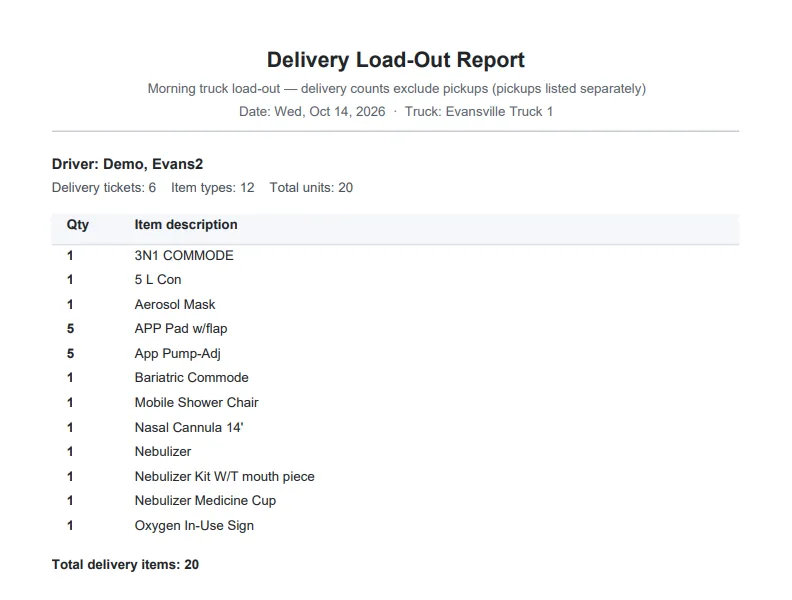
Inventory is where delivery and billing either stay honest or drift apart. If the shelf, the truck, and the invoice disagree, you feel it in lost equipment, rushed re-deliveries, and month-end cleanup. DME Engine keeps warehouse and truck inventory on the same order record that dispatch and billing already use.
Warehouse and truck inventory
Items move from the warehouse onto a truck, to the patient, and back again. DME Engine tracks that movement so you can see what is available, what went out on a route, and what should come back. Drivers can scan items in the Driver app as they load and complete stops, and dispatch can work from a load-out view of the day's truck.
- ✓ Warehouse and truck inventory in the same system as orders and deliveries
- ✓ Barcode scanning in the Driver app
- ✓ Item movement history, including serial and lot numbers
- ✓ Pickup and discharge workflows that close out equipment on the right date
That history is also what billing uses for rental periods and supply charges. See DME billing software and DME delivery software for how inventory, proof of delivery, and invoices stay connected.
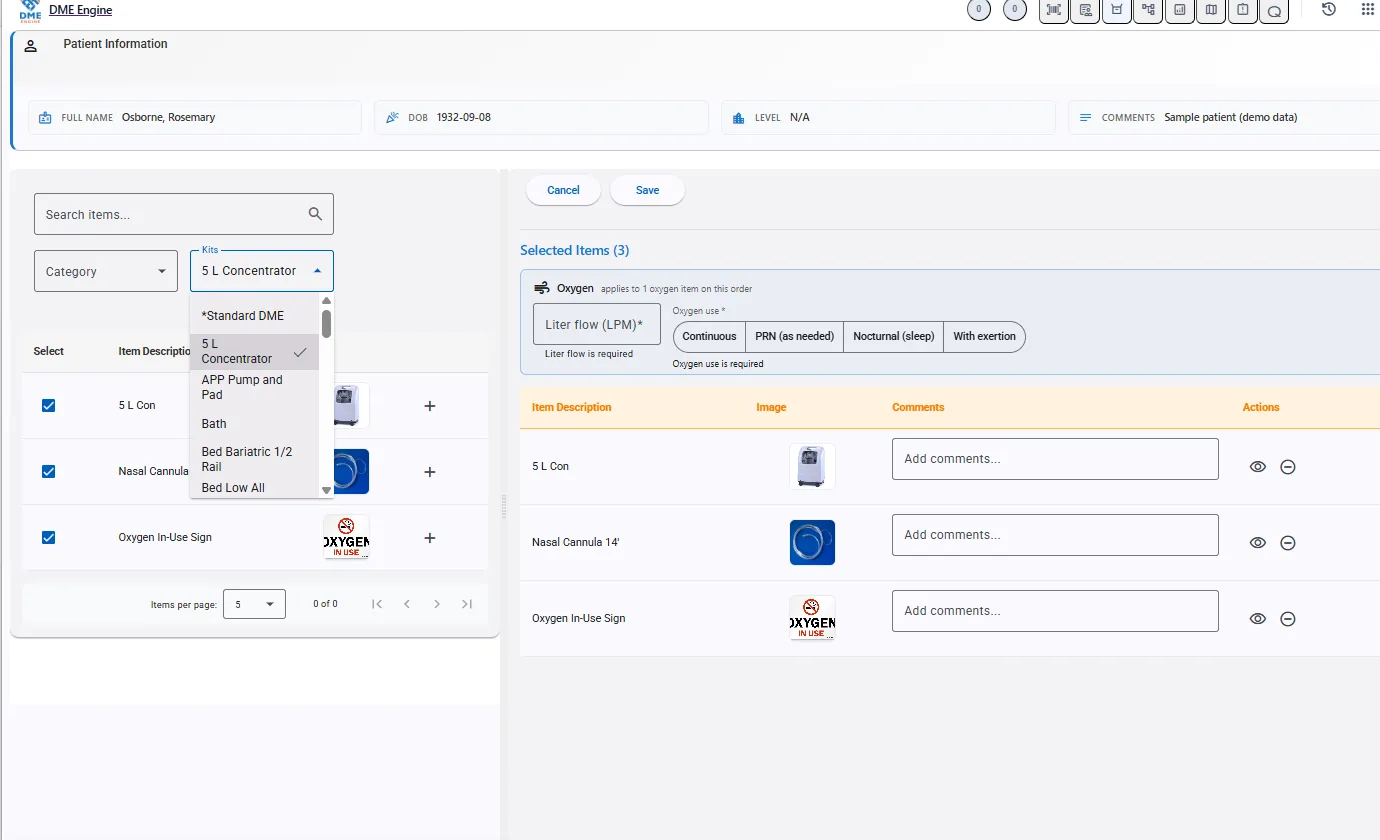
Connect Square for showroom and walk-in sales
If you also run a retail showroom or a walk-in counter on Square, you should not have to enter every stock change twice. A Permission Admin can connect the company's Square account from Admin > Connect Square, using Square's own sign-in and approval. No Square passwords are shared with DME Engine.
After you connect, click Remap catalog to link Square items to items already in DME Engine. Matching is by SKU or barcode. Remap does not create items, and it does not copy prices or quantities. Create the items in DME Engine first, with SKUs that match Square, then run Remap.
Once a Remap succeeds, later stock-count changes in Square are pushed into DME Engine inventory automatically. The connection is one way, from Square to DME Engine. DME Engine does not push counts back to Square. Current counts are not backfilled at Remap time; only count changes made after a successful Remap apply, and only for items that were mapped. Items with no SKU are skipped, and SKUs that do not match an existing DME Engine item are left unmatched. Nothing is auto-created. One Square location maps to one DME Engine warehouse per company.
- ✓ Connect from Admin > Connect Square, with Square's own secure sign-in
- ✓ Remap catalog links existing items by SKU or barcode; it does not create items or copy prices or quantities
- ✓ After a successful Remap, later Square count changes flow into DME Engine
- ✓ One-way sync only, and current counts are not backfilled
- ✓ One Square location maps to one DME warehouse
- ✓ Included in the $200/month Starter Plan at no extra cost
If your Shopify store already syncs to Square (for example with an app like SKU IQ), those Shopify sales can show up in DME Engine after they land in Square's counts, and only for items that are already remapped. DME Engine does not connect to Shopify directly, and a new Shopify item still needs a matching item in DME Engine before it can be mapped. For the full walkthrough, read Connect Square to DME Engine: Keep Showroom Sales and DME Inventory in Step.
DME inventory software pricing
The Starter Plan is $200/month flat for one warehouse and up to 10 team users (staff and drivers), with unlimited client facility logins and Medicare, Medicaid, and managed care EDI billing included. The Square connection is included at no extra cost. Teams that outgrow Starter can move to a per-active-patient-day plan. See DME software pricing.
See inventory and Square on a 15-minute demo
Book a 15-minute demo and we will walk through warehouse and truck inventory, and how Remap works if you also sell on Square.
Free 30-day trial, no credit card.